Welcome to CalendR!
Your AI-Powered, Rutgers Based, Time Optimization Assistant

Request For Proposal
Rutgers University is Seeking Professionals from UX Design teams to investigate a fast growing space: The rise of AI-powered “study buddies.” productivity tools, and digital companions that promise to help users stay focused, feel better, or learn faster.
Your design team has been invited to explore this space from a human-centered perspective, learning how these tools are used in real life, uncovering where they help or fall short, and proposing a thoughtful concept that responds directly to the needs and challenges you uncover.
This isn’t just about designing a product. It’s about understanding people’s lived experiences and using that insight to drive better, more responsible design.
Prototype/Product Overview
CalendR is an AI-integrated calendar app designed to unify Canvas and other third-party calendars into a single, streamlined experience.
Our AI system helps you manage and optimize your time through a personalized End-of-Week (EOW) Report. This report analyzes both quantitative data (such as your Canvas grades) and qualitative data (your weekly reflections) for each class. Using this information, CalendR AI optimizes your schedule with smart recommendations across categories like class time, study sessions, office hours, intramural sports, gym time, and other daily activities.
The prototype reflects a user-centered design process grounded in student interviews and task-flow analysis. Each feature was shaped around real pain points, such as juggling multiple apps, forgetting assignments, and struggling to plan effective study time. The result is a tool built for how students actually manage their day-to-day lives.
Case Study
Problem Statement

Rutgers University students struggle to balance schoolwork, personal life, and their physical/mental well-being while relying heavily on AI tools like ChatGPT for assignments. This can lead to stress, over-reliance, and limited personal growth.
“I go to AI because I want something personal.”
“Depends on how much time I have.”
“I use AI because I want to be more productive.”
“I want to customize [AI] to be specific for academics and personal use.”
Research/Insights
We Interviewed 27 Rutgers Students on Campus About How They Use AI
They gave us 4 common quotes and we distilled those into 2 common themes
—>
Students want to be more productive.
Students want to save time
Personas / Journey Map & Strategy
Taking These Themes We Created 2 Personas
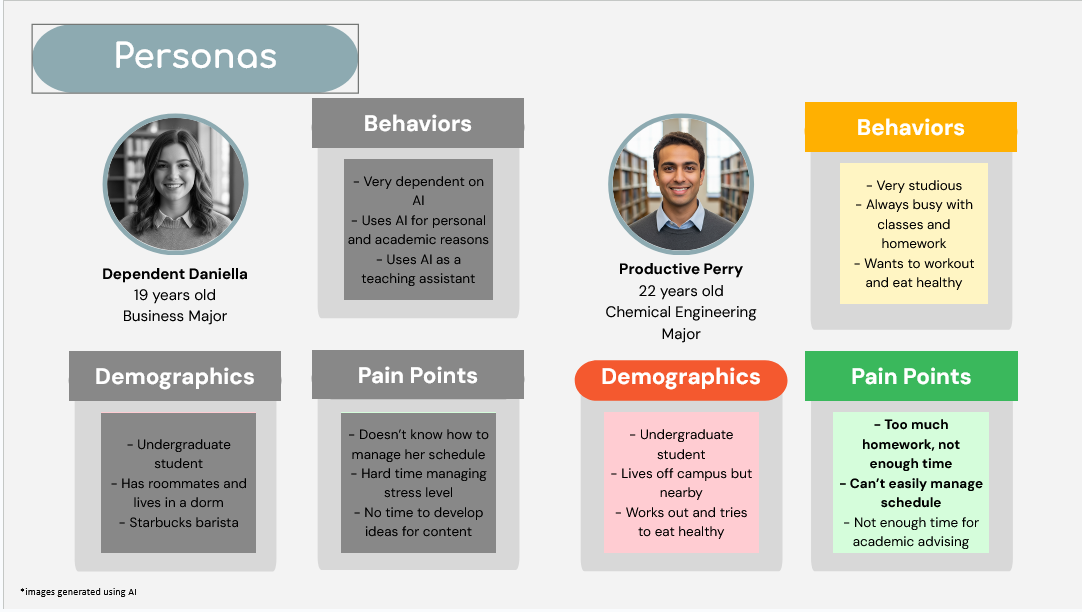
These personas represent the students we interviewed on campus. Though we felt Dependent Daniella represented some students on campus, we decided to move forward with Productive Perry as he more accurately represented the goals presented to us in our RFP.
At the beginning of the semester, Productive Perry is feeling confident and excited about school. hes hitting all his goals when it comes to personal and academic well being!
Productive Perry is a Student that wants to be able to keep himself healthy (eating well, and working out) while managing his heavy course load. But as the semester goes on he finds that organizing and prioritizing his needs are getting increasingly difficult.
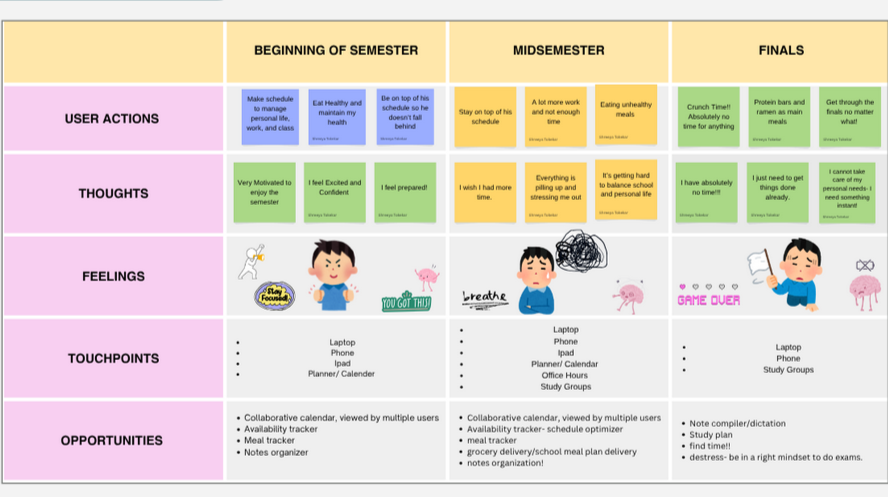
Towards the middle of the semester, he is starting to feel the weight of his work and midterms. His eating and exercise habits have dipped a bit in favor of his school work. His stress levels are also rising and that leads to more unhealthy habits.
Using the persona and journey map led us to discovering our biggest opportunity
At the end of the semester everything has gone off the rails. Tests, quizzes, and homework have become too much. He is eating take out every night and his only exercise is getting up from his desk to go get his food.
A Collaborative Calendar that syncs all your existing calendars and optimizes schedules to increase productivity.
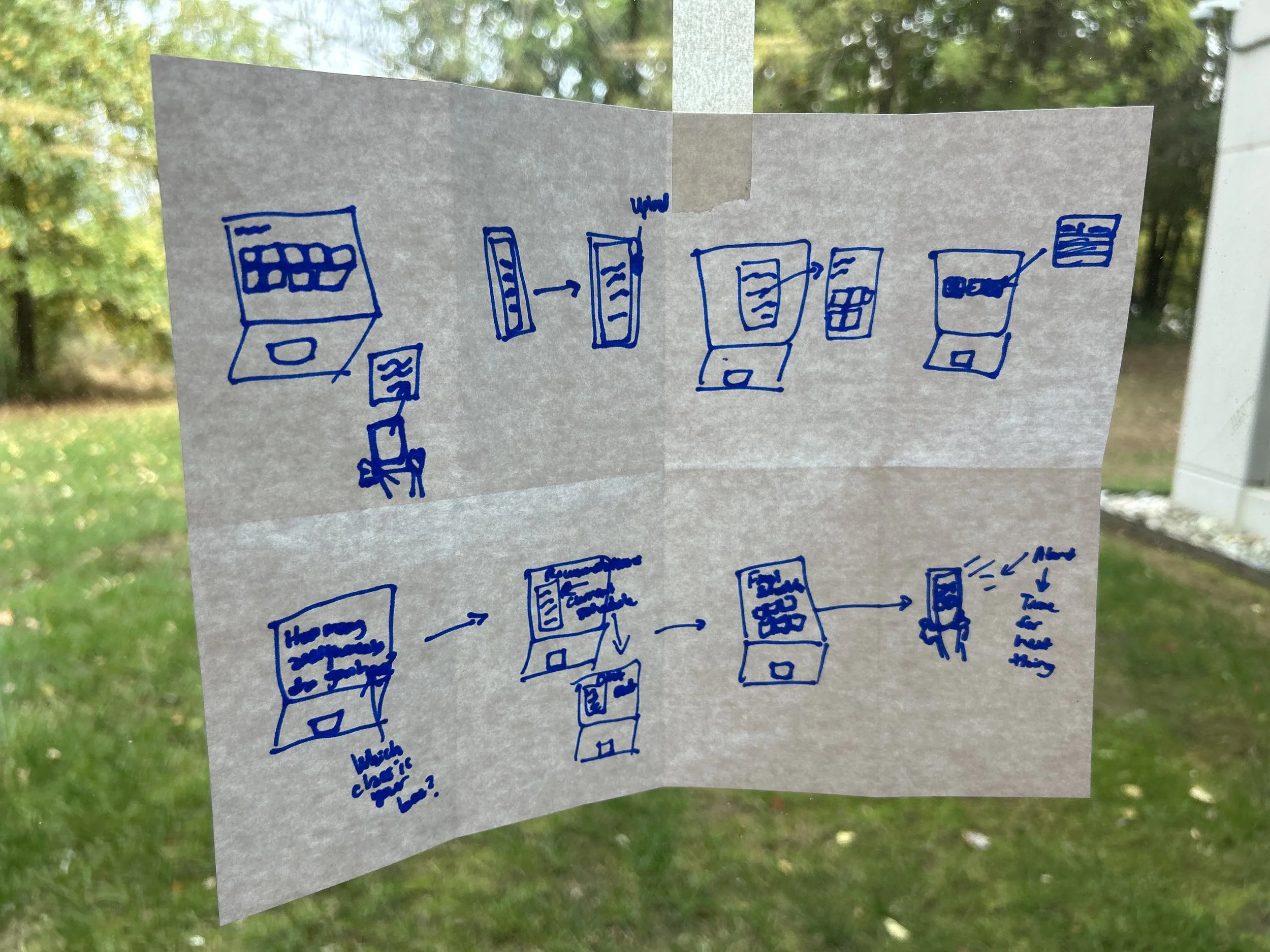
This exercise aimed to help us sketch out as many ideas as possible to force us to think quickly and not block ourselves creatively
Design Studio
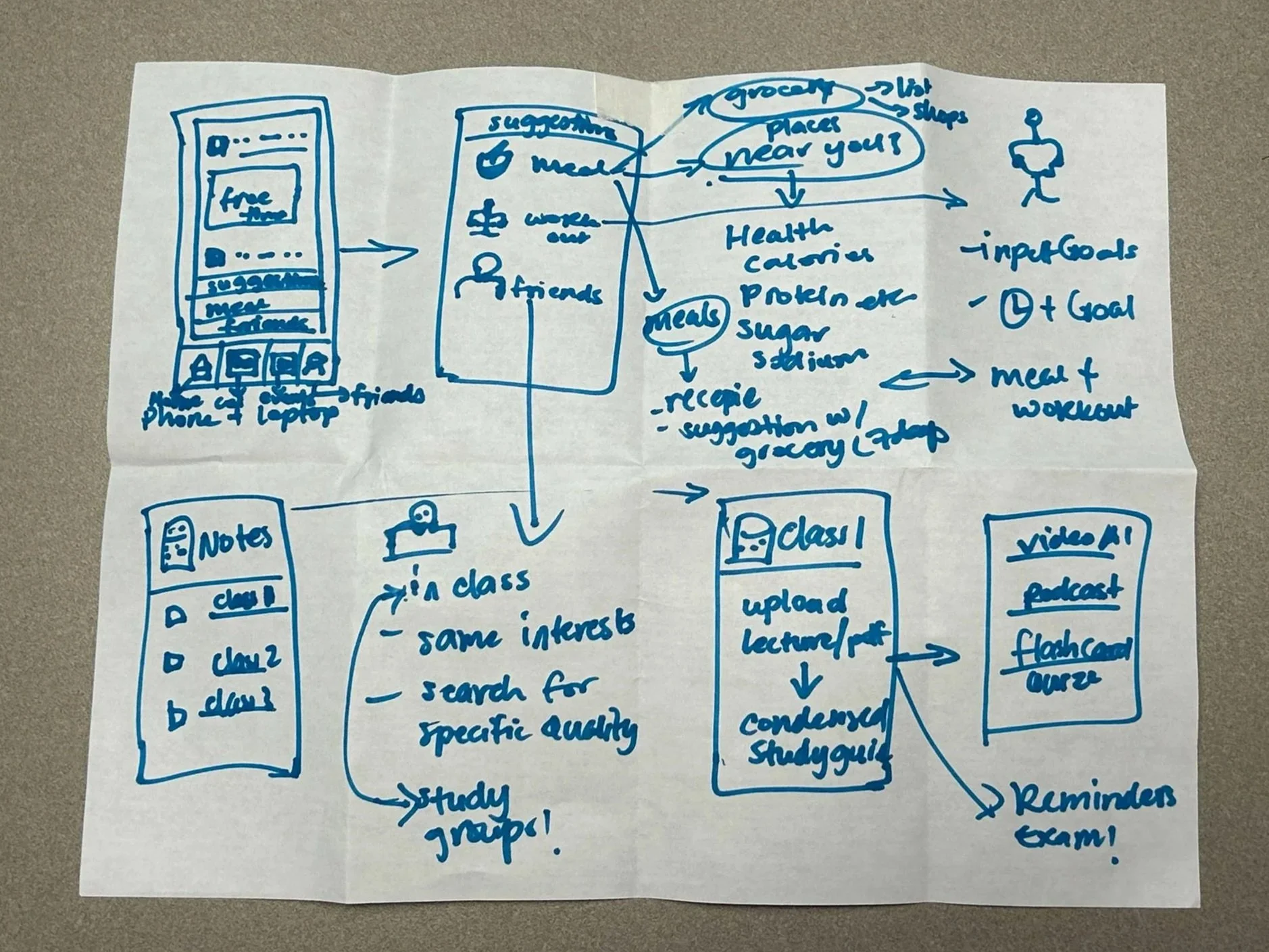
As we got to work, or first step in Design Studio was a three stage Crazy 8’s Exercise.
Individual -> Teams of Two -> Full Group
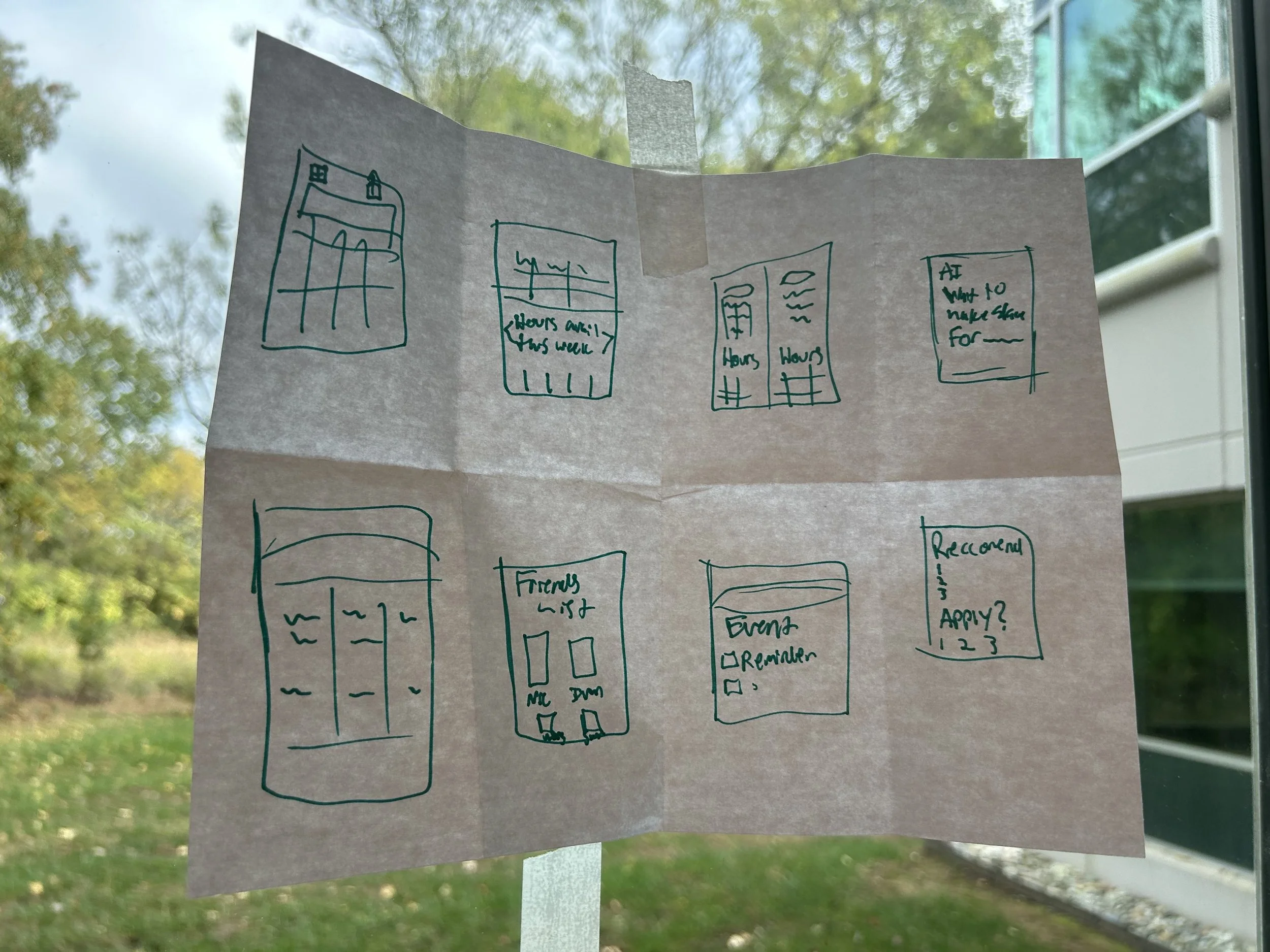
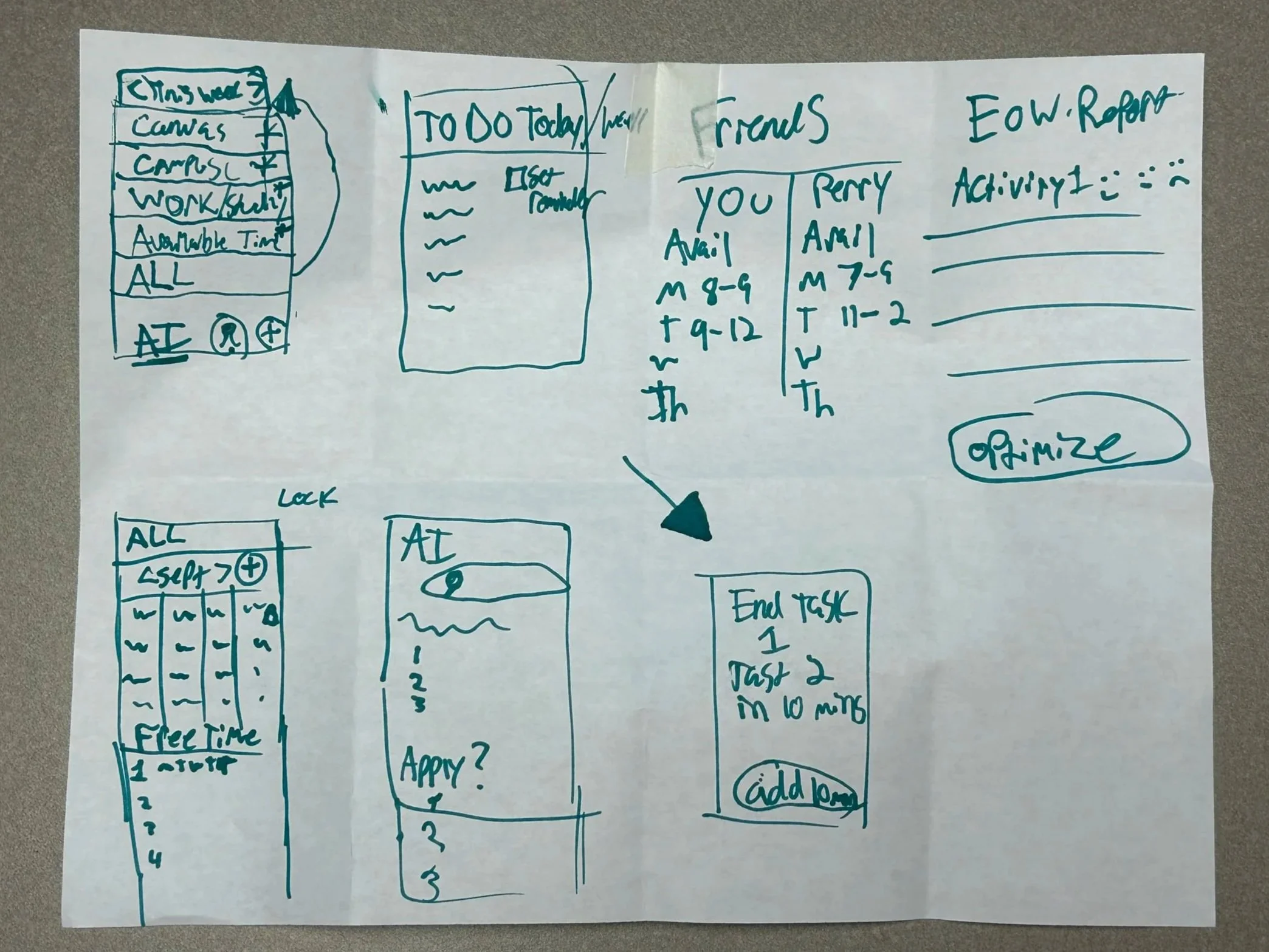
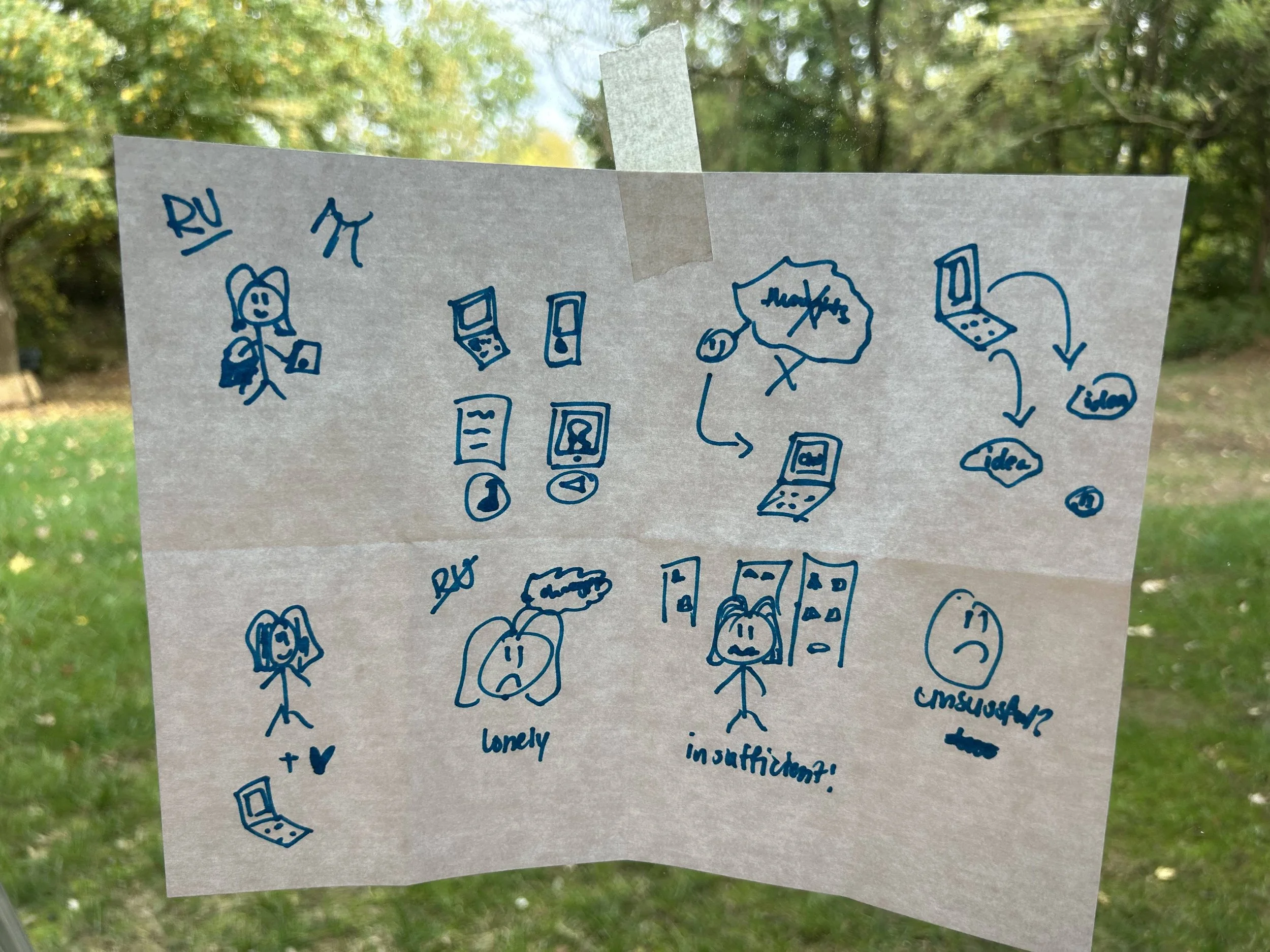
The result of the first round of this exercise was very influential in our final prototype. The layout and overall idea of a social calendar app rang through all of these examples. We met as a group and discussed our sketches before splitting up again, this time in groups of two.
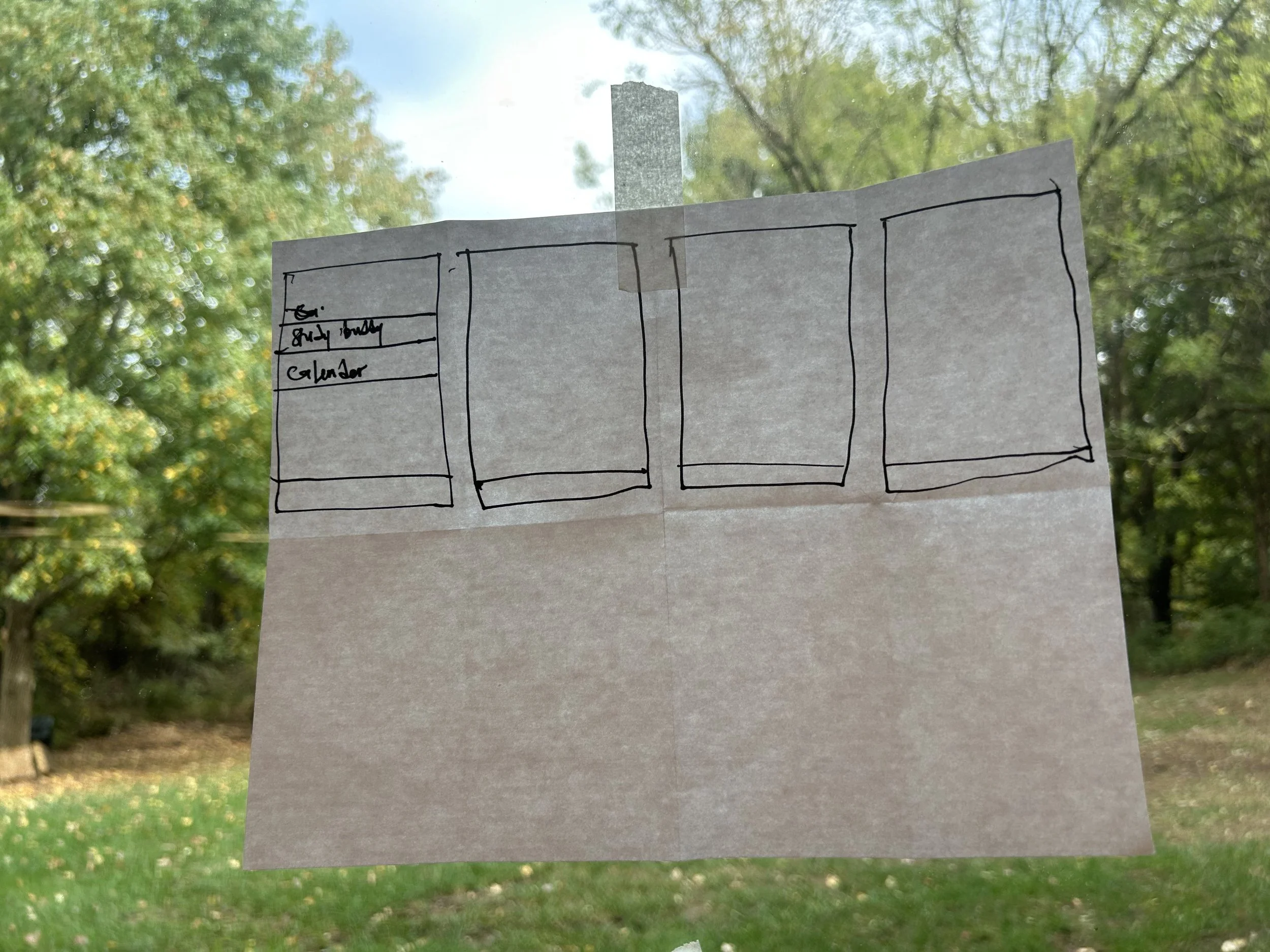
In our second go around, we narrowed down our layout and the final direction we wanted to go. The last part of this exercise was actually not a part three, it was to start on our prototyping.
Prototype Overview
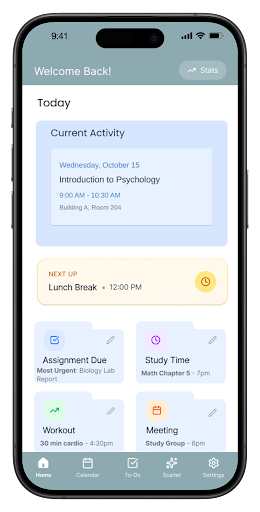
The Home Screen Gives you a look at what current activity you should be on/at as well as what is up next right below it. The folders below are meant to categorize your activities and you can view those individually as well as plainly on the calendar
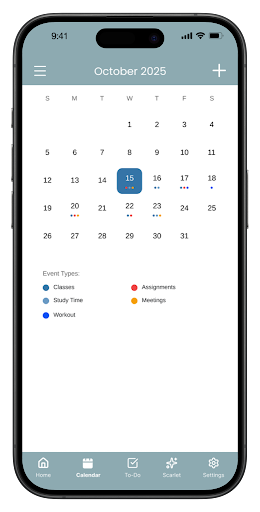
The Calendar screen gives you a look at the month and shows you what is happening each day. Each type of category is color coordinated. Once you click on your day then it will expand into a time oriented list.
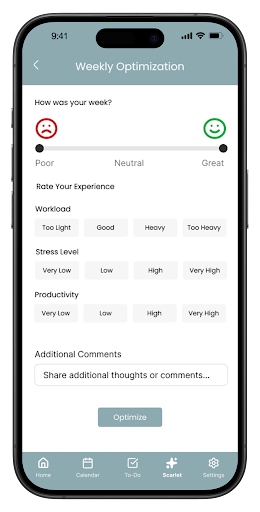
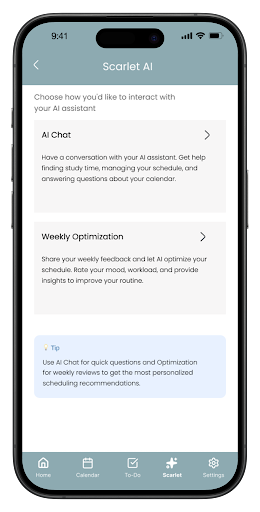
Or AI integration is a tool that helps you manage your time with an EOW (End of Week) Report. This report takes your quantitative data (your grades from canvas) and qualitative data (EOW Report) per class and optimizes you schedule accordingly. The slide bar at the top with your overall feeling, and your experience tracker (Workload, stress, and productivity) as well as any other comments left at the bottom are the qualitative data.
The tool also has a chat feature for your more specific questions.
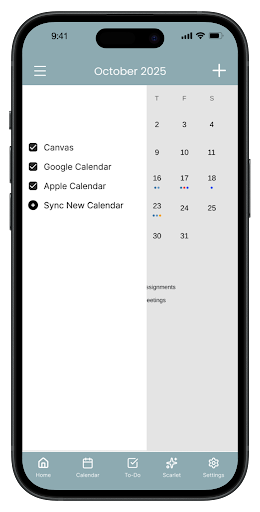
The add calendar screen is a navigation drawer that makes adding and selecting a 3rd party calendar efficient.
Here are several of the questions and tasks we used in our usability test, among others:
Review the home page. What do you think you can do and what parts are interesting to you?
Now you are going to use the app. Where would you click first? Why are you drawn to clicking this first?
What do you think about the screen you are on?
Now, imagine you are a student who needs to …………., what would you do to complete this task?
Once you are on the calendar page, imagine your professor has new office hours and you want to add this to your schedule. How would you do this?
Are there any other ways you would open the calendar?
Theme
Visual Design
Calendar
Scarlet AI integration
Navigation
Personalization/stats
Home page/widget
Overall concept
7. On the calendar section, what do you think the hamburger menu would do?
Click on it. Is this what you expected?
Test Summary
User Testing
We Tested with 5 People in a moderated, in person usability test.
Their tasks were to, add an event, add a calendar, and review EOW report. As well as overall navigation between screens.
8. Find and click on the AI button. Was it easy to know what this is?
9. Once you are here, which feature is most valuable to you? Click on this feature.
10. In weekly optimization, the goal is for you to rate your feeling on workload and other items for your classes. Read through and let us know if there is anything you would keep or change.
11. For AI chat, what do you think about this feature? How would you use it?
Other Questions:
**If they are color blind or do not prefer the color scheme, note that settings would have this accessibility function to change colors.
What was your overall impression of the app?
What did you like and dislike about your experience/ app?
For the things that don't work, how would you think they are supposed to
Would you use this app?
If so, with the current tools you have available, how would you use this app?
If not, why would you not use this app?
If there’s anything you would do differently what would it be?
What Worked?
Clean, minimal, and cohesive colors
Clear layout, easy event creation
Exciting, high perceived value
Intuitive and expected structure
Curious about potential, not finished but some perceived value
Simple entry and overview
Integrated productivity, high value
Why it Resonated
Calm and Premium feeling
familiar, functional, and satisfying
Personal and intelligent
Easy to learn, low friction
Encouraged ongoing use
Easy and efficient daily engagement
Unique value proposition
Whats Next?
Make Scarlet AI the Main attraction
Emerged as the most valuable feature. We must capitalize on this feedback.
Improve overall ease of navigation
Some users felt that it took too many clicks to get from place to place
Improve personalization
Users loved how personal the app already felt, but they wanted to take it even further. Taking this just from a calendar fro school to a everyday management companion app.
Two Way Calendar Sync
Just as easy as you are able to import a calendar you should be able to export them to other programs as well. Just in case they are synced with work or their family.
Keep Fonts and sizing cohesive
Some users pointed out some readability issues. Light contrast, small fonts, and some icons that just didn’t stand out.
Closing/Full Slide Deck
This project was an opportunity to explore how AI can strengthen user decision-making, streamline task flow, and create a more responsive digital experience. Throughout the process, user feedback consistently guided the direction of the design—revealing what resonated, what needed refinement, and where the concept has room to grow.
Below you can find the full slide deck of our presentation
Thank you for viewing this project! Your time and attention mean a lot!
Heuristic Evaluation
For the sake of time the professors determined to do the Heuristic evaluation after the project ended.